
Search & Find The Best // Map & Search1.2.0 - Get APK
You'll be able to download in few seconds.
Publisher Description
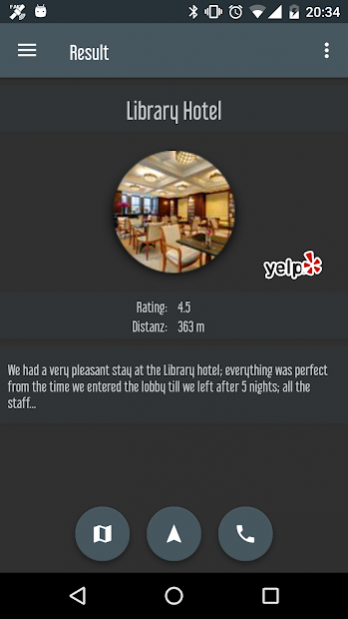


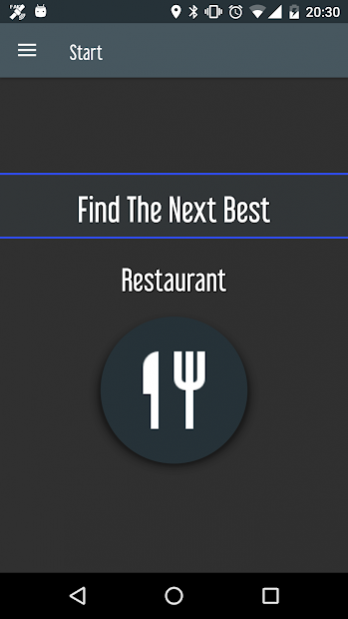
Search & Find the best ... ATM / Bar / Cafe / Doctor / Church / Cinema / Hospital ...
You can choose between 70 categories to search for.
Choose between different search methods : Distance / Best Matched / Highest Rated
Features:
- Distance and position
- Display all results on the map
- Start navigation direct from the app
- Call if the number is available
- Share your result
- Find new places
- Helpful while traveling
- Available Languages: English / German / Spanish / French / Italian / Dutch / Portuguese
- 70 different categories
Settings:
- Metric or imperial units
- Default distance for results
- Different search methods
- 1 to 20 selected categories
The following businesses can be searched for:
beach / bike rental / gym / kids activity / lasertag / mini golf / playground / swimming pool / zoo / botanical garden / casino / cinema / museum / auto repair / car dealer / gas station / parking / hair dresser / tanning / hotel / bank ATM / bakery / grocery store / dentist / doctor / family practice / hospital / pharmacy / camp ground / car rental / beer garden / dance club / bar / restaurant / breakfast brunch / cafe / chinese / french / german / greek / indian / italian / japanese / mexican / seafood / spanish / steak / thai / vegetarian / vegan / department Store / drugstore / fashion store / church / ice cream vendor / massage salon / currency exchange / locksmith / vet / irish pub / hookah / sports bar / pool hall / karaoke / metro station / mosque / police department / post office / landmark
About Search & Find The Best // Map & Search
The company that develops Search & Find The Best // Map & Search is TAoS. The latest version released by its developer is 1.2.0.
To install Search & Find The Best // Map & Search on your Android device, just click the green Continue To App button above to start the installation process. The app is listed on our website since 2020-11-15 and was downloaded 0 times. We have already checked if the download link is safe, however for your own protection we recommend that you scan the downloaded app with your antivirus. Your antivirus may detect the Search & Find The Best // Map & Search as malware as malware if the download link to taosvdb.com.findthenextbest.complete is broken.
How to install Search & Find The Best // Map & Search on your Android device:
- Click on the Continue To App button on our website. This will redirect you to Google Play.
- Once the Search & Find The Best // Map & Search is shown in the Google Play listing of your Android device, you can start its download and installation. Tap on the Install button located below the search bar and to the right of the app icon.
- A pop-up window with the permissions required by Search & Find The Best // Map & Search will be shown. Click on Accept to continue the process.
- Search & Find The Best // Map & Search will be downloaded onto your device, displaying a progress. Once the download completes, the installation will start and you'll get a notification after the installation is finished.
Version History
version 1.2.0
posted on 2020-11-15
Disclaimer
External Download
We do not host Search & Find The Best // Map & Search on our servers. We did not scan it for viruses, adware, spyware or other type of malware. This app is hosted by Galad and passed their terms and conditions to be listed there. We recommend caution when installing it.
The APK Download link for Search & Find The Best // Map & Search is provided to you by apps112.com without any warranties, representations or guarantees of any kind, so access it at your own risk.
If you have questions regarding this particular app contact the publisher directly. For questions about the functionalities of apps112.com contact us.
